


There is no getting away from it.
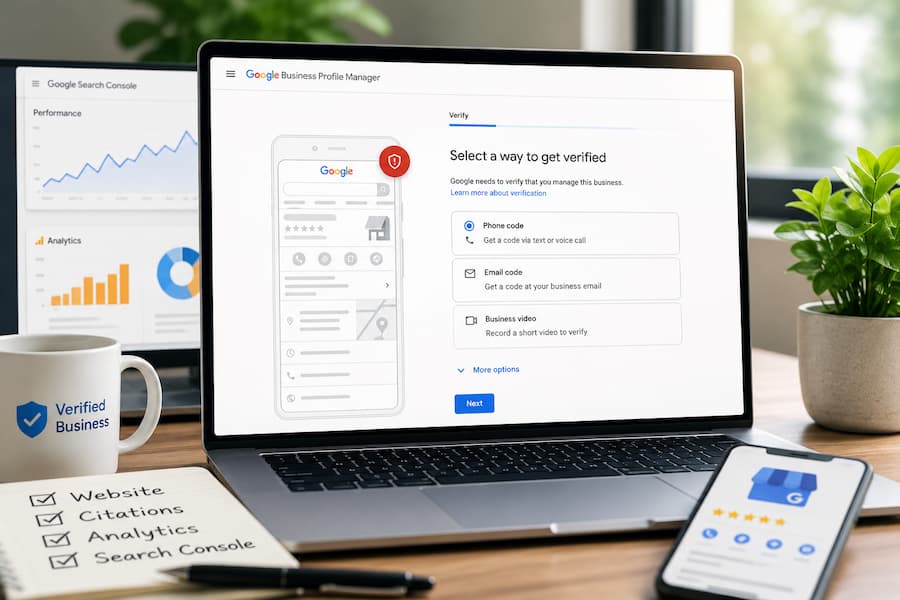
Google Business Profile verification has become a bit of a nightmare.
Phone verification sometimes never calls.
Video verification can feel like you’re filming a documentary. The camera angle has to be perfect, the evidence has to be perfect, somebody walks into view, and suddenly you’re rejected. Then come the upload issues, endless review loops and starting all over again.
It is enough to make anyone question their sanity.
So yes, I got you with the headline.
No magic button guarantees instant verification.
There is, however, a way to give yourself the best possible chance of being verified immediately or at least avoiding most of the headaches.
Stop Thinking About The Business Profile
This might sound strange.
The Google Business Profile is actually one of the last things I think about.
Instead, I think about Google’s confidence in the business.
Google wants evidence that your business genuinely exists before it starts trusting you with a local listing.
The more confidence signals you can provide beforehand, the smoother the verification process often becomes.
Google Search Console Is Your Secret Weapon
If there is one thing I would recommend before creating a Google Business Profile, it is setting up Google Search Console.
Whilst you are there, connect Google Analytics as well.
Google Search Console proves ownership of your website.
That alone creates another trust signal.
Even better, use your business email rather than a Gmail account.
For example:
[info@yourdomain.co.uk]
This becomes your business identity across Google’s ecosystem.
Build Your Foundations First
If this is a brand new business, patience pays dividends.
Spend a couple of weeks putting the right foundations in place before creating your Business Profile.
Start with your website.
Make sure your business details are easy to find.
Ideally include your:
- Business name
- Business address
- Telephone number
- Email address
I normally recommend having these in the website footer.
At the very least, they should appear on your Contact page and About page.
For good measure, put them on your Terms and Conditions page as well.
The more consistency Google sees, the better.
Build Some Authority
Once your website is in place, get your business listed on reputable citation sites.
BrightLocal and Whitespark both offer quality citation services.
You are not doing this for backlinks.
You are helping Google build confidence that your business information is consistent across the web.
Once those citations begin appearing in Google’s index, you have created another layer of trust.
Connect Everything Together
This is the setup I recommend.
Your business email becomes the owner of:
- Google Search Console
- Google Analytics
Then use that same business email to create your Google Business Profile.
Everything now belongs to the business rather than an individual.
That becomes particularly useful later if staff change or agencies come and go.
You can always add your Gmail account as a Manager once the Business Profile has been verified if you prefer using Gmail day to day.
The Ideal Verification Scenario
Once Google has discovered your website and some of your citations, create your Business Profile.
In an ideal world, you will receive:
- Immediate verification
- Email verification
- Phone verification
Hopefully, by the time you read this, Google has sorted out the occasional phone verification glitches.
The point is simple.
You have already demonstrated to Google that your business exists before asking for verification.
But I Need It Now
I hear this all the time.
“I need the profile live today.”
“I need the phone ringing.”
The reality is slightly different.
Getting your Business Profile verified today will not suddenly make your business successful tomorrow.
Local SEO takes time.
Marketing takes time.
Building trust takes time.
If your business has no online presence, no citations, no reviews and very little supporting content, verification is only the beginning.
Take a breath.
Spend a couple of weeks putting solid foundations in place.
You’ll often make the verification process much easier, and you’ll give yourself a far better platform for local SEO afterwards.
If You Have Already Rushed
Perhaps you ignored everything above.
Perhaps the business needed launching yesterday.
It happens.
You may find yourself being pushed into video verification.
Sometimes that works perfectly.
Sometimes it becomes an endless verification roundabout.
If you find yourself stuck in repeated verification failures, don’t keep submitting the same video over and over.
Use the Google Business Profile Status Tool instead.
I have covered the entire process here:
Verification Help Via The Google Business Profile Status Tool
It is often the quickest route to getting a genuine pair of Google eyes looking at your verification issue instead of repeatedly entering the automated verification loop.
Piss Poor Preparation Leads to Frustration
Verification is becoming more rigorous because Google is trying to reduce spam.
That is understandable.
The businesses having the easiest time are usually those that already look genuine across Google’s ecosystem.
Before creating your Business Profile, spend a little time building those trust signals.
- Connect Google Search Console.
- Connect Google Analytics.
- Use your business domain email.
- Build quality citations.
Make your business details consistent across your website.
None of these guarantee immediate verification.
They stack the odds in your favour.
After seeing hundreds of verification cases over the years, I would much rather spend two weeks preparing properly than spend two months fighting verification failures.
Online Ownership does not offer a stand-alone verification service. Still, we do offer Google Business Profile Consulting as part of our Local SEO Services. Give us a call for a quick, no-obligation chat.
Related Articles
- Check Your Google Business Verification Status
- Verification Help via Status Tool for Google Business Profiles
- How to Claim Ownership of a Verified Google Business Profile
- Google Business Profile Suspended for Deceptive Content
- Businessplaining your Google Business Profile Appeal Documents Won’t Work